// control_reference
Basic Controls
Game Boy Color · Input Mapping
◉ GAME BOY COLOR
Hardware Display
MODE::CAMP_SCREEN
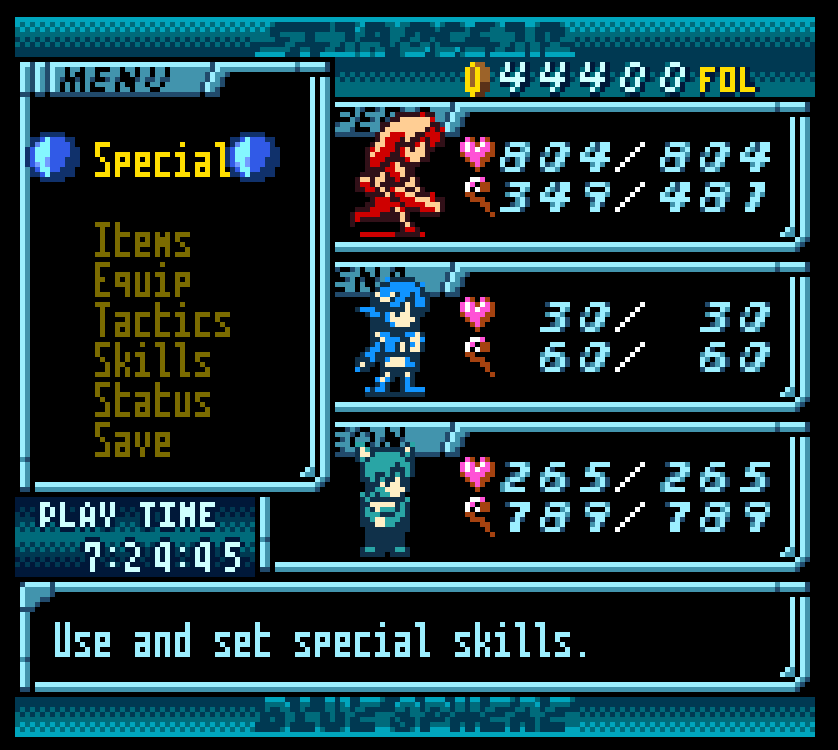
Screen Overview
Also known as the pause menu. The Camp Screen allows you to see the party's current health and magic points. The submenus are as follows:
// submenus
Special: Heal using magic, select crafting skills, or change field action
Items: Use any acquired items
Equip: Change equipped items
Technique: Change AI parameters, equipped skills, or position in battle
Skills: Level up using SP points
Status: View stats for selected character
Save: Save game
Button Mapping
D-Pad
Move cursor
A
Confirm
B
Cancel / Go Back
Start
Return to Overworld screen
Select
Switch character / Toggle Help
D-Pad
Move character
A
Attack
B
Use Field Skill
Start
Open Camp Screen
Select
Press — Change character
Hold + Left/Right — Cycle characters
Hold + Up/Down — Cycle field skills
Hold + Left/Right — Cycle characters
Hold + Up/Down — Cycle field skills
Transition
Touch enemy sprite → enters Battle
Press Start → opens Camp Screen
Press Start → opens Camp Screen
D-Pad
Move Forward / Backwards + modifier for skills
A
Basic attack
B
Use mapped skill (modifiable with D-Pad)
Start
Opens Command Menu
Select
Switches active character
L / R
Defend